 © 2004–2026
Philip Higuera
Professor, Department of Ecosystem and Conservation Sciences
University of Montana, Missoula, MT, USA
philip.higuera@umontana.edu |
Faculty page |
GitHub repository
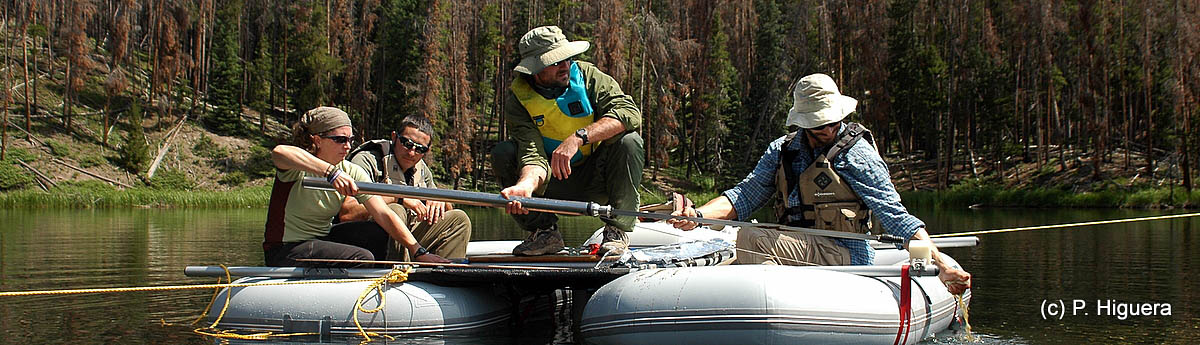
Chickaree Lake, Rocky Mountain National Park, Colorado. Photo: G. Carter (2010).
What is CharAnalysis?
CharAnalysis is a freely available program for reconstructing local fire histories from high-resolution, continuously sampled lake-sediment charcoal records. It is designed specifically for macroscopic charcoal records with contiguous sampling at fine enough resolution to resolve individual fire events; it is not appropriate for low-resolution or discontinuously sampled records.
For records that meet the required criteria, CharAnalysis implements a widely applied approach that decomposes a charcoal record into low- and high-frequency components, including the ability to use locally defined thresholds to separate fire signal from noise. This approach was first applied in Higuera et al. (2008, 2009), and the assumptions and rationale of the method are most thoroughly described in Higuera et al. (2010) and Kelly et al. (2011), which are recommended reading before applying the program.
Since its original development in the mid-2000s, CharAnalysis has been used in dozens of published studies to analyze sediment-charcoal records on six continents. A selection of these application examples is listed in the User’s Guide. The entire codebase is distributed and well commented — users are encouraged to look under the hood, understand what is going on, and modify the program to suit their needs.
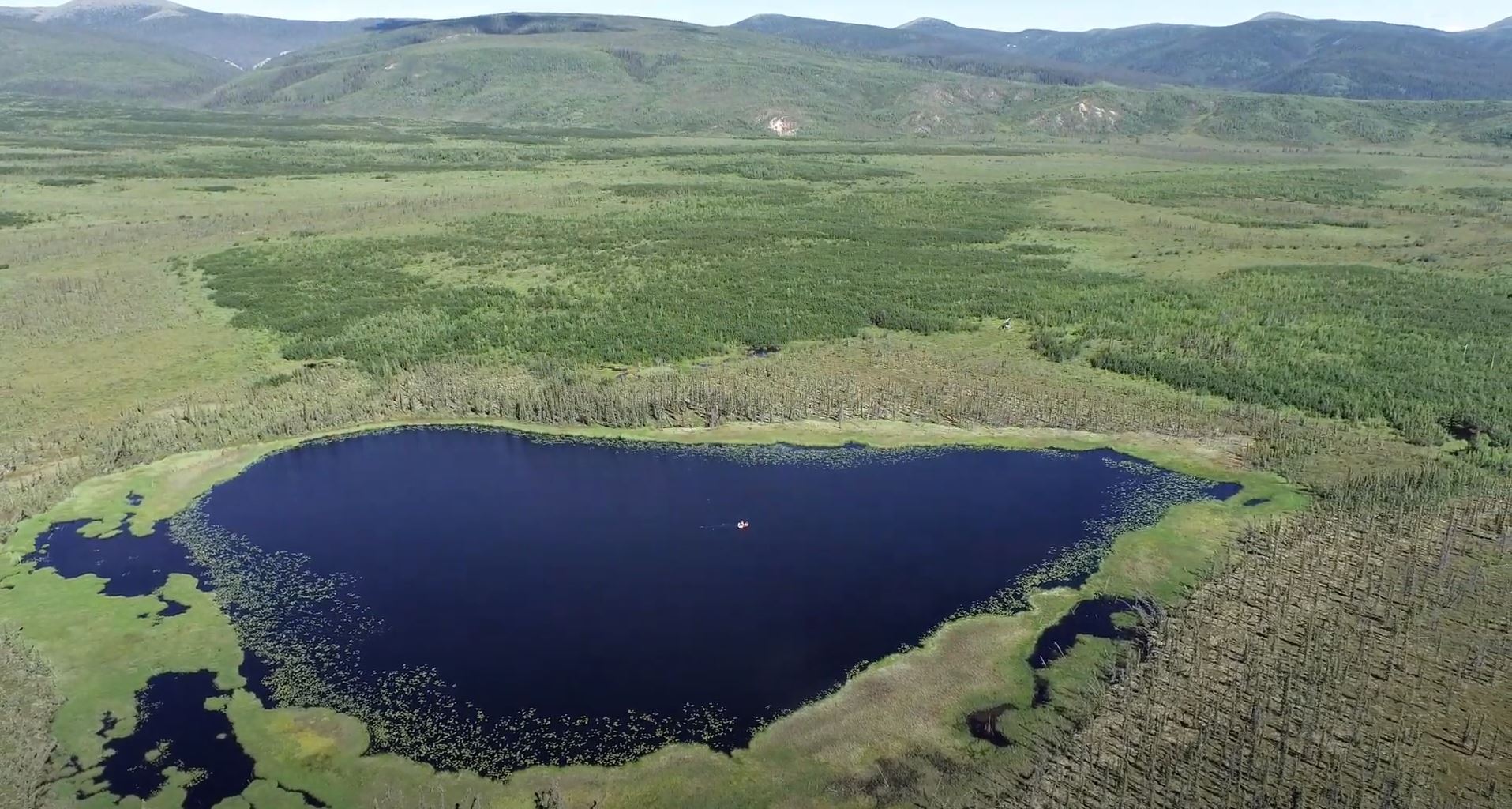
Aerial view of Flyby Lake, interior Alaska. A coring raft is visible at the center of the lake. Sediment cores collected from lakes like this preserve millennia of charcoal deposited from past fires (Photo: L. Lad, 2024).
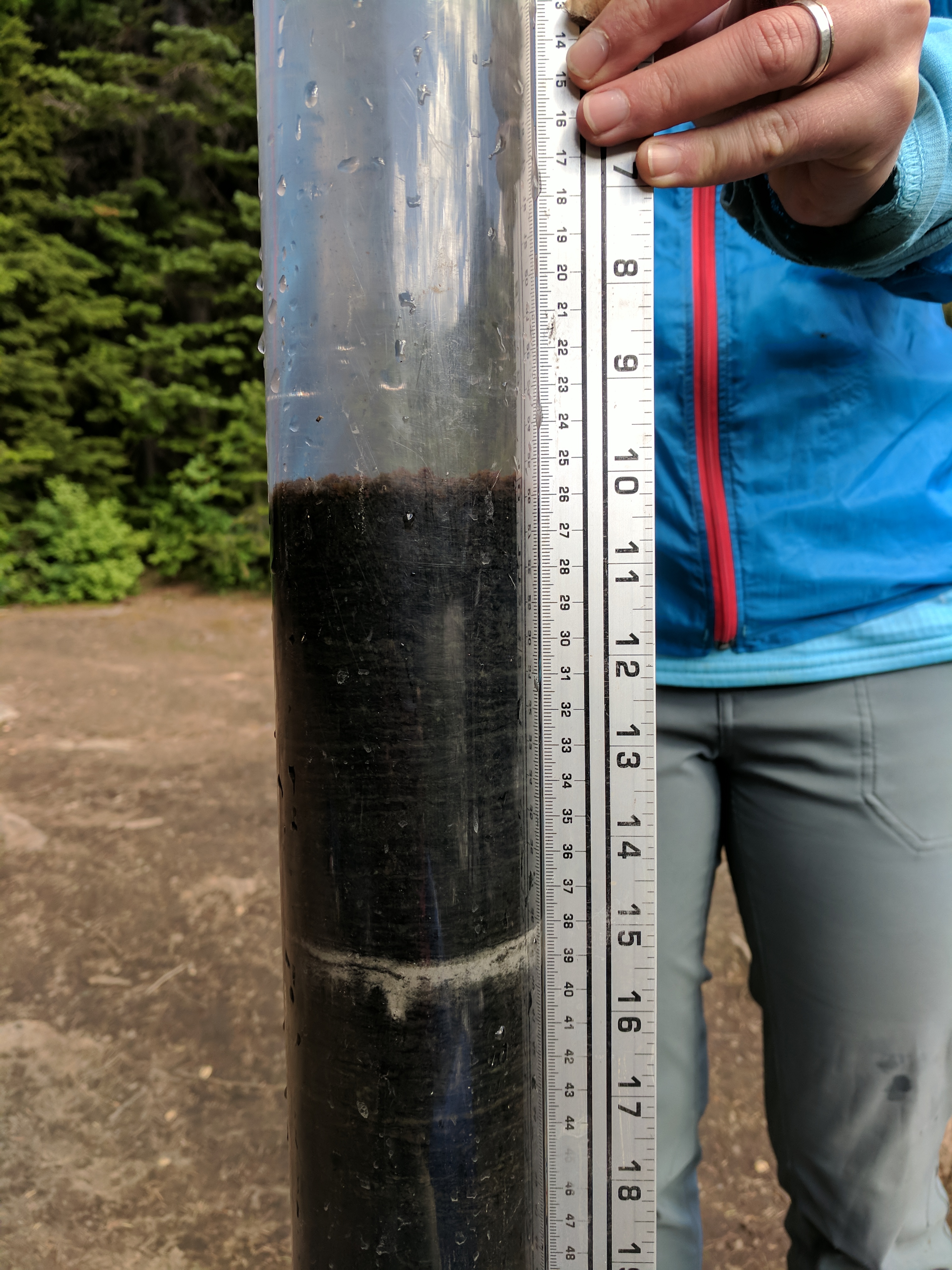
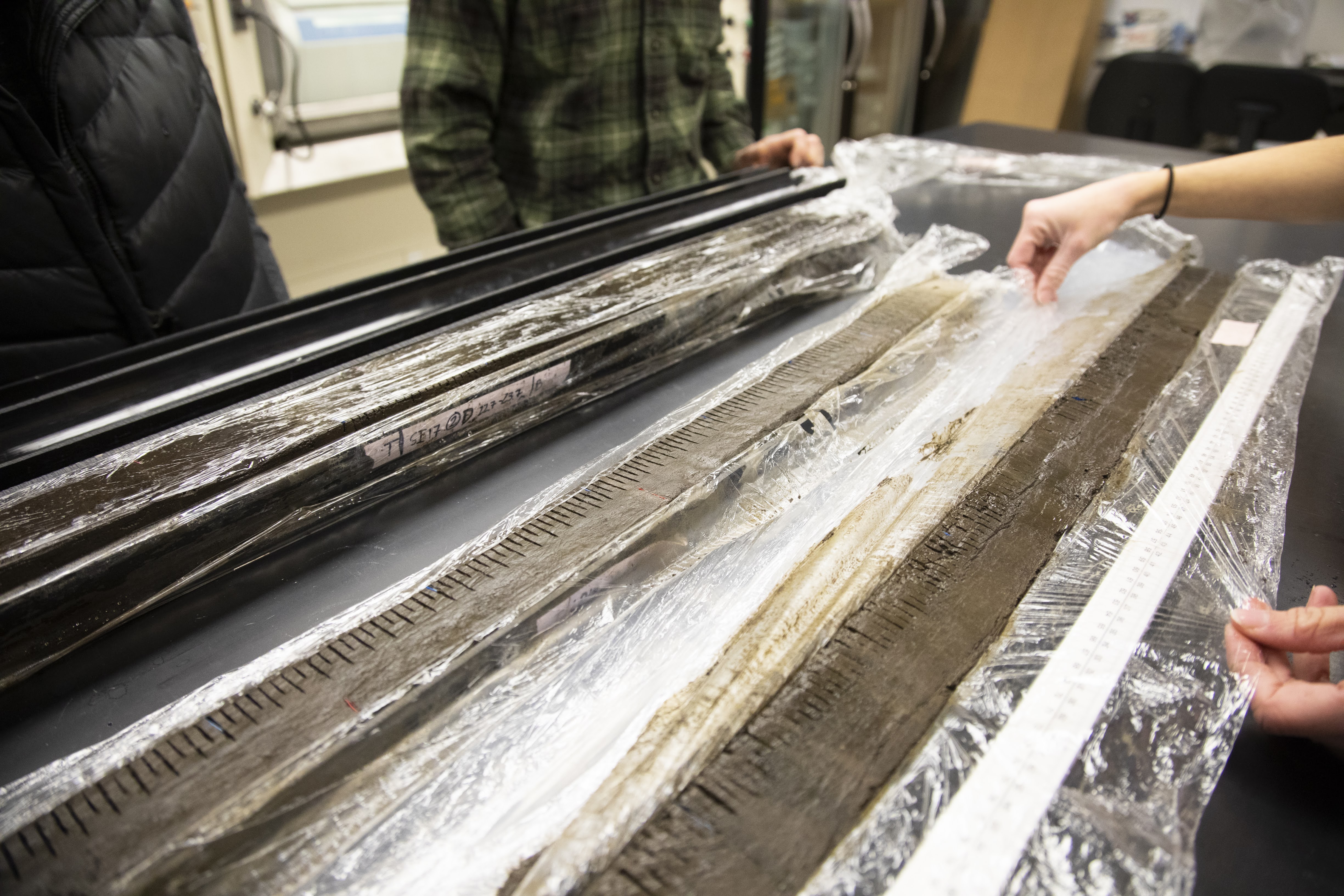
Left: The upper-most sediment collected from Silver Lake, a 16-m deep subalpine lake in western Montana. The core shows a distinct layer of light-grey tephra deposited from the 1980 eruption of Mount St. Helens (Photo: P. Higuera, 2018). Right: Split sediment cores in the University of Montana’s PaleoEcology and Fire Ecology lab. The demarcations at every 0.5 cm are where the cores were sliced for continuous sampling (Photo: Univ. of Montana, 2019).
How does it work?
CharAnalysis takes a raw sediment-charcoal record and guides the user through five analytical steps: interpolating the record to equal time intervals, smoothing to estimate background charcoal accumulation, isolating the high-frequency peak component, applying a threshold to identify peaks that are interpreted as fire events, and screening peaks using a minimum-count criterion. At each step the analyst makes explicit parameter choices, informed by diagnostic output from the program.
The figures below illustrate the first two (of up to 10) output figures, using the bundled Code Lake example dataset from the south-central Brooks Range, Alaska (Higuera et al. 2009).
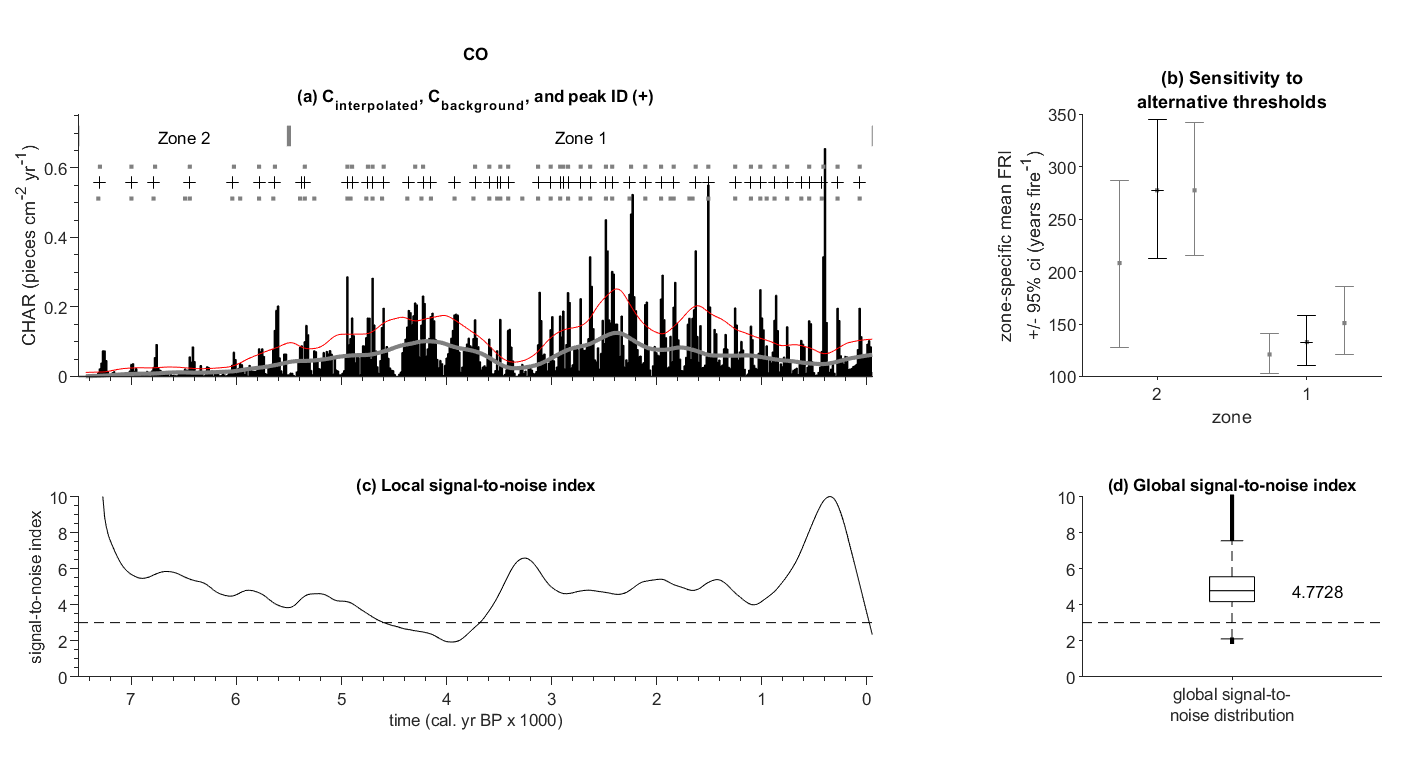
Figure 1. (a) Sensitivity of peak identification to alternative threshold values, (b) mean fire return intervals by zone for each threshold, (c) signal-to-noise index through time, and (d) boxplot of all SNI values. The SNI quantifies the potential for reliable peak detection at each point in the record.
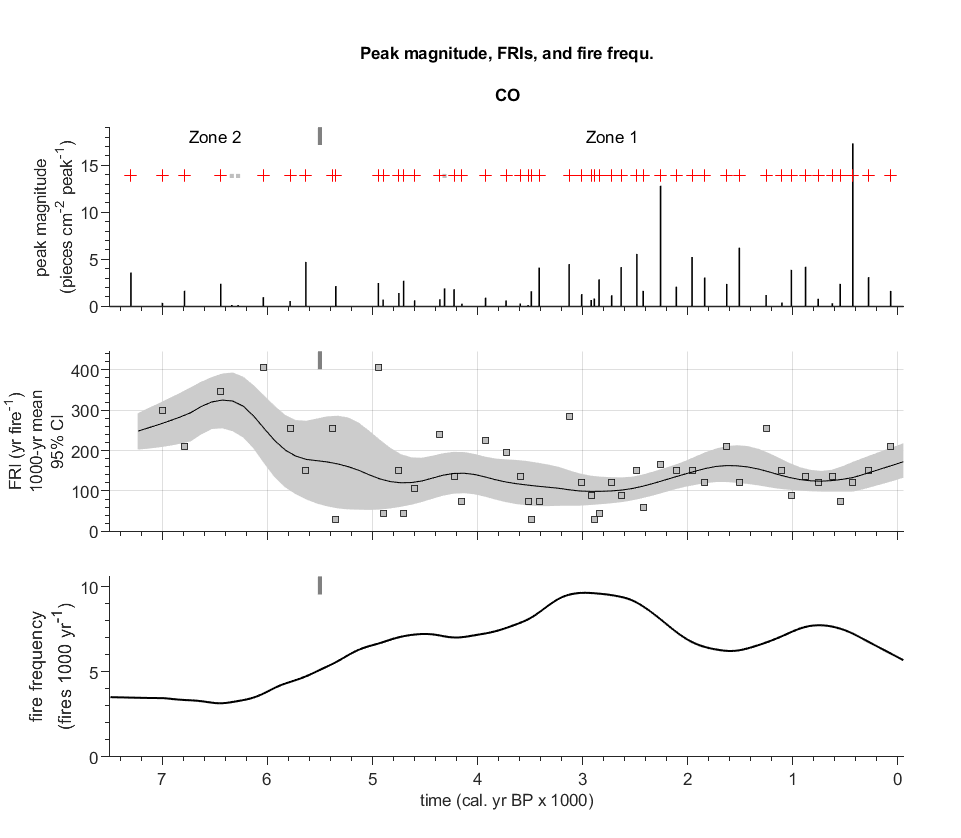
Figure 2. Continuous fire history showing peak magnitude (top), fire return intervals and smoothed FRI curve (middle), and smoothed fire frequency (bottom).
Getting Started
There are three ways to access CharAnalysis, suited to different users and needs.
Option 1: Install and run in R
Install from CRAN. Requires R 4.0 or higher. Output figures require
ggplot2, patchwork, and ggtext.
install.packages("CharAnalysis")
For in-development features ahead of the next CRAN release, install from the
dev branch on GitHub:
# install.packages("devtools")
devtools::install_github("phiguera/CharAnalysis",
                         subdir = "CharAnalysis_2_0_R",
                         ref    = "dev")
See the R package vignette for a full worked example on the bundled Code Lake dataset. The R package is in the experimental lifecycle stage: analytical outputs are validated against four reference datasets (Code Lake, Chickaree Lake, Silver Lake, Raven Lake), but the API may change as user feedback is incorporated. Please report any issues at the Issues tab.
Option 2: Download and run locally in MATLAB (v2.0)
Requires MATLAB R2019a or higher. No additional toolboxes are required.
Download as .zip |
Download as tar.gz |
Clone on GitHub
Full installation and usage instructions are in the User’s Guide.
Option 3: Try MATLAB online — no installation required
Run CharAnalysis instantly in your browser on the bundled Code Lake example
dataset. A free MathWorks account is required; university users can log in with
their institutional email.

Choosing between R and MATLAB
Both implementations are based on the same analytical methods and produce quantitatively equivalent results on validated reference datasets. R is the dominant language in the paleoecological community and integrates more easily with downstream statistical analysis and publication-quality figures. MATLAB is the reference implementation and has been validated on the full suite of five benchmark datasets; the R package has been validated on four of those five datasets (Code Lake, Chickaree Lake, Silver Lake, Raven Lake). Minor numerical differences in peak detection may occur between the two versions due to floating-point divergence in the Gaussian mixture model used for threshold estimation; these differences are small and do not affect qualitative fire-history interpretations.
Documentation
The User’s Guide covers installation, data input and parameter selection, a full description of all analytical methods and choices, and documentation of all program output. It is written primarily for the MATLAB implementation.
R users should consult the
R package vignette
for R-specific installation, usage, and known differences from the MATLAB
version. After installing the package, the vignette is also accessible locally
via vignette("CharAnalysis_intro", package = "CharAnalysis").
The original guide (v0.9, 2009) is retained as a historical reference: ARCHIVE_CharAnalysis_UsersGuide_v0.9_2009.pdf.
Questions and bug reports can be submitted via the Issues tab on GitHub.
Citation
If you use CharAnalysis in a publication, please cite Higuera et al. (2009), the first study to apply the core analytical tools implemented in the program. If you used CharAnalysis v2.0 (MATLAB) or v2.0.x (R) specifically, please also cite the software:
Higuera, P.E., L.B. Brubaker, P.M. Anderson, F.S. Hu, and T.A. Brown. 2009. Vegetation mediated the impacts of postglacial climate change on fire regimes in the south-central Brooks Range, Alaska. Ecological Monographs 79:201–219. https://doi.org/10.1890/07-2019.1
Higuera, P.E. 2026. CharAnalysis: Diagnostic and analytical tools for peak
analysis in sediment-charcoal records (Version 2.0). Zenodo.
https://doi.org/10.5281/zenodo.19304064

Methodological Background
The following two papers provide the most thorough background on the rationale and assumptions of the analytical methods implemented in CharAnalysis; these are recommended readings before applying the program:
Acknowledgments
Many features in CharAnalysis are based on analytical techniques from the programs CHAPS (Patrick Bartlein, University of Oregon) and Charster (Daniel Gavin, University of Oregon). The Gaussian mixture model was created by Charles Bouman (Purdue University). Development benefited greatly from discussions with and testing by members of the Whitlock Paleoecology Lab at Montana State University, Dan Gavin, Patrick Bartlein, and Ryan Kelly.
CharAnalysis was written in MATLAB with resources from the University of Washington, Montana State University, the University of Illinois, the University of Idaho, and the University of Montana.
Version 2.0 (MATLAB) was developed with the assistance of Claude, an AI assistant by Anthropic. Claude assisted with code modernization, bug fixes, architecture redesign, and documentation. All code was reviewed and validated by the author against Version 1.1 reference outputs.
The R package was developed with the assistance of Claude, an AI assistant by Anthropic. Claude assisted with the MATLAB-to-R translation, validation, and documentation. All code was reviewed and validated by the author against MATLAB v2.0 reference outputs.